
AI Watch Translator · formerly Translate Now
Say it. Hear it back
in their language.
Voice-first translation for iPhone and Apple Watch: speak, and the translation is shown large and read aloud. Hold a face-to-face conversation on one phone, or translate straight from your wrist.


Two translations a day are free. Premium is bought in the iPhone app.
What it does
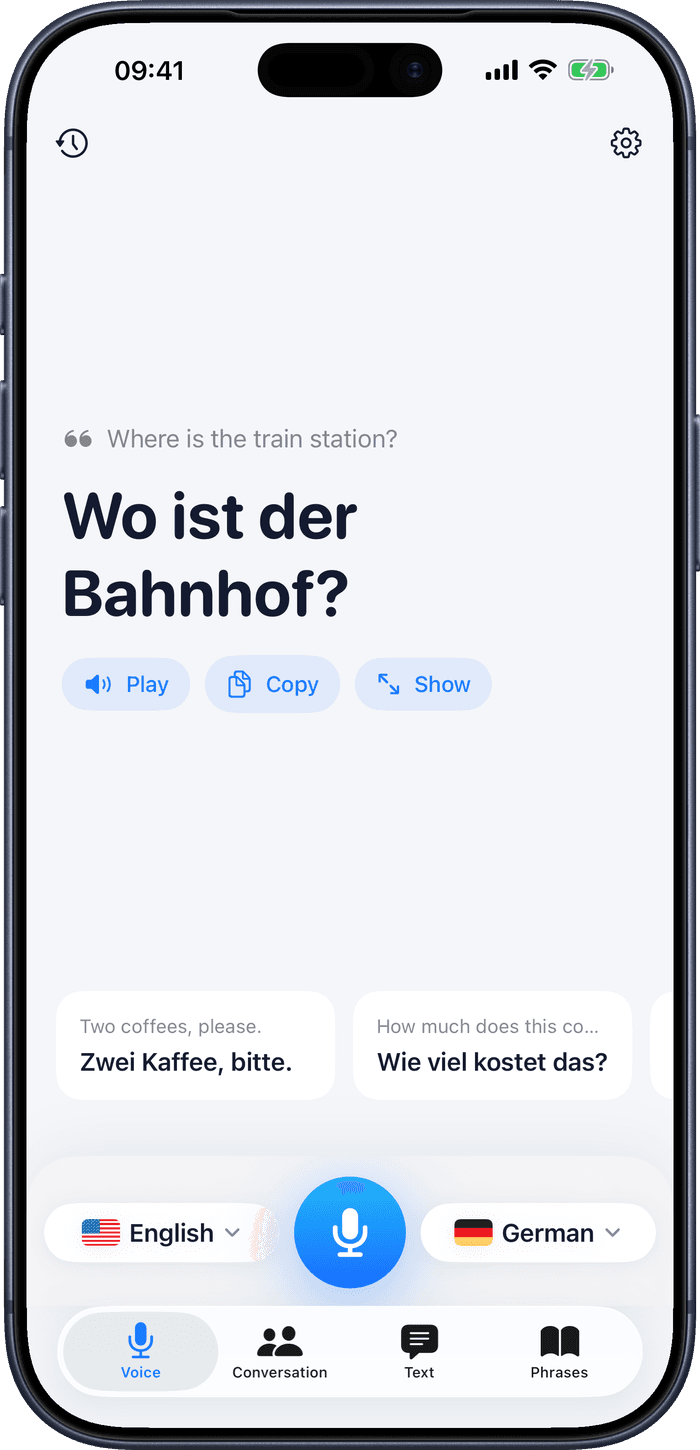
Speak, and hear it back
Tap the microphone and talk. The translation fills the screen at a size you can read at arm’s length, and is spoken aloud so the person across from you hears it.
Conversation mode
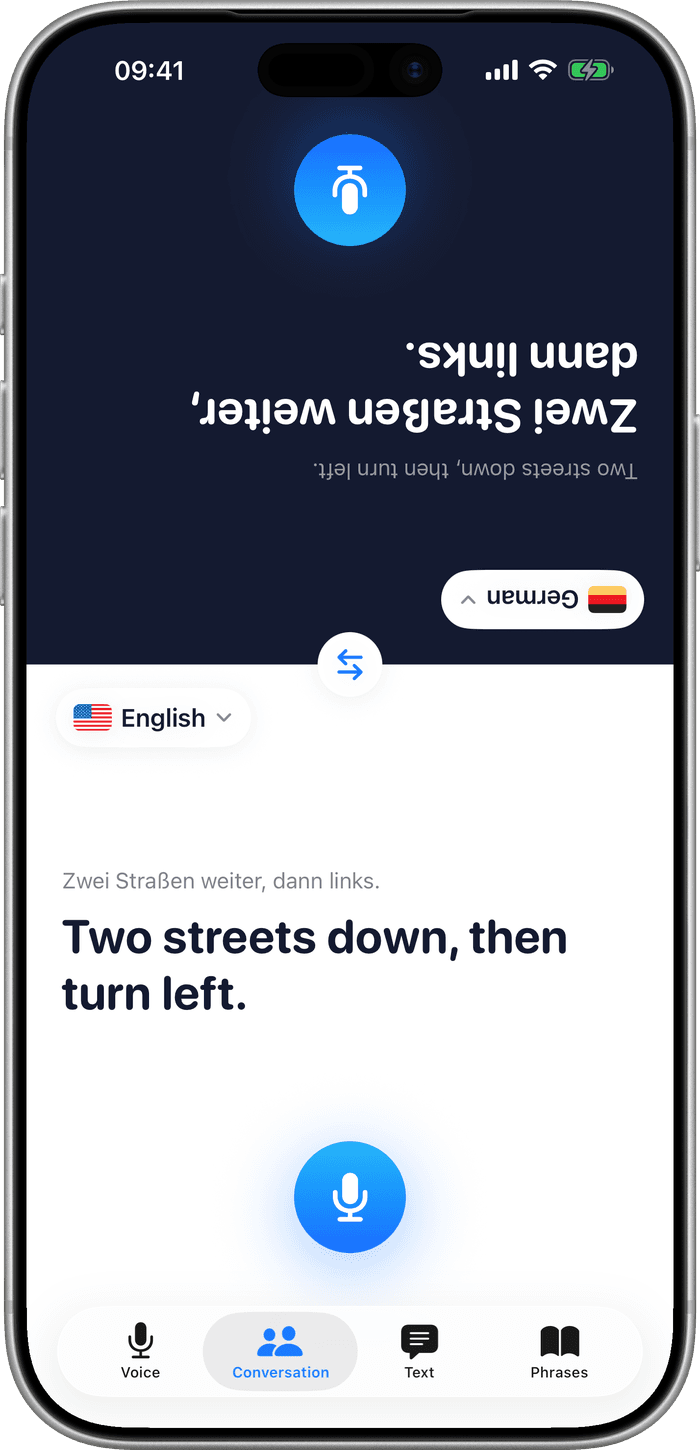
Put the phone on the table between you. Each person gets half the screen, their own language and their own microphone, and the far half is turned to face them.
On your Apple Watch
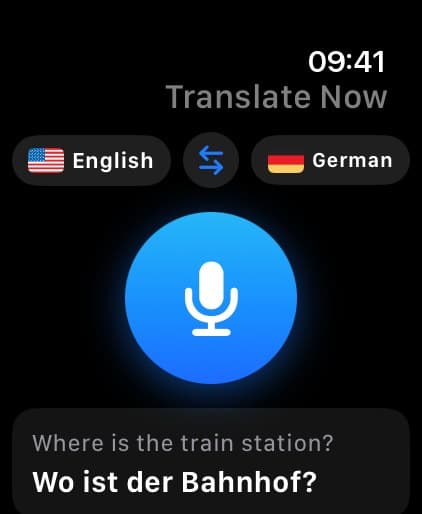
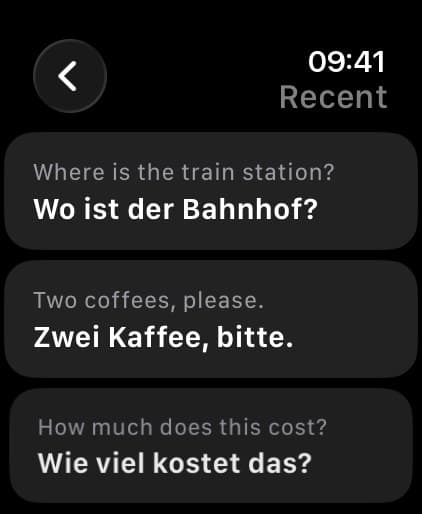
Raise your wrist, speak, and the answer is read out. Reply from the watch, look back through recent translations, and keep a complication on the face for the next time.
Type, paste or photograph
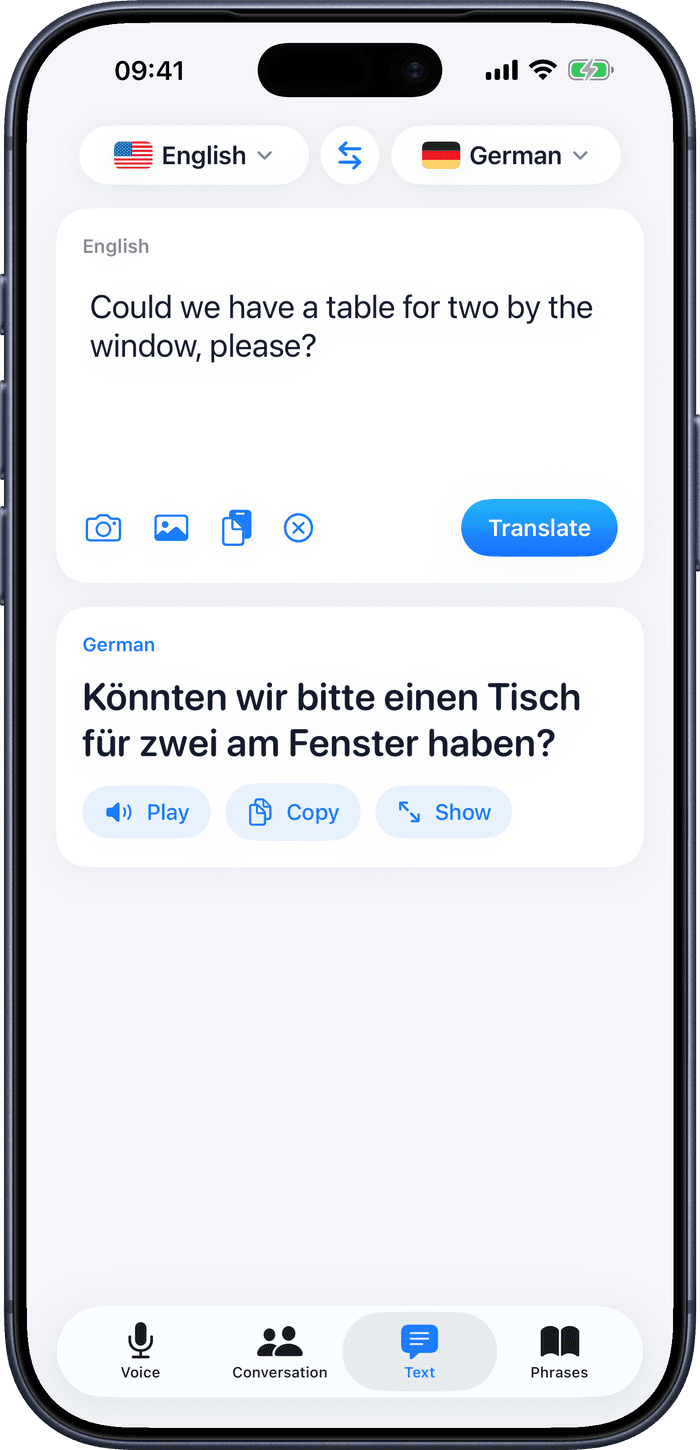
Type it, paste it, or point the camera at a menu or a sign and translate the text in the picture.
Phrase books
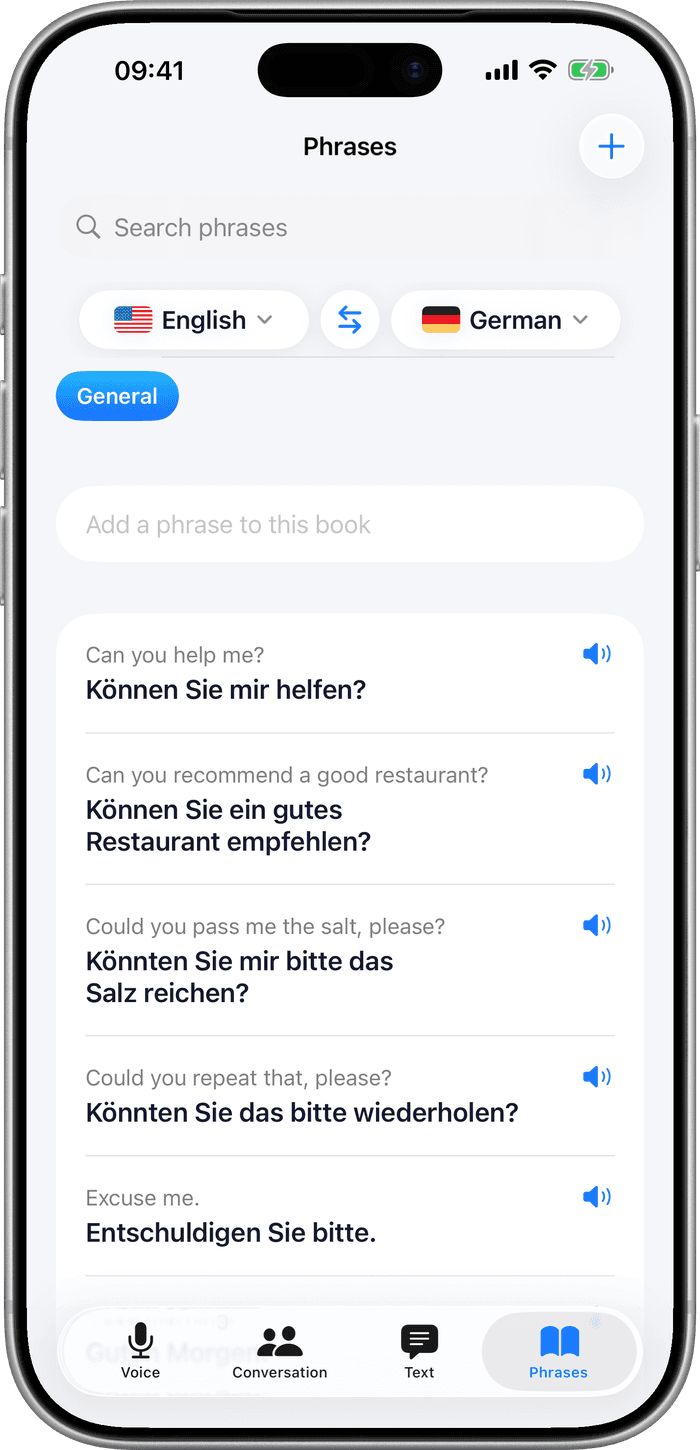
Keep the sentences you need again — directions, allergies, checking in — so they are one tap away instead of spoken twice.
29 languages
Speech in, speech out, and text both ways, across 29 languages you can swap between mid-conversation.
Voice
Tap once. Speak normally.
The translation appears large enough to hold up and is read aloud in the other language, so a stranger can answer without reading your screen.
Conversation
One phone, two people.
Conversation mode splits the screen and rotates the far half, so the phone can lie flat on a table and both of you read your own language the right way up.
Text
When speaking out loud will not do.
Type or paste the text, or photograph a sign or a menu and translate what is in the picture — quieter than talking to your phone in a waiting room.
Phrases
The sentences you need twice.
Save a translation to a phrase book and it is there next time, without speaking it again or hunting through your history.
On the watch
The watch app is the whole loop, not a remote control: speak into your wrist, hear the translation, reply, and look back at what you asked earlier. Keep a complication on your watch face and it is one tap from anywhere.

What it costs, and what it cannot do
Free, then Premium
Two translations a day cost nothing. Premium lifts the limit and is an App Store subscription, bought and cancelled inside the iPhone app — this site never sells it. Existing subscriptions are managed in your Apple ID settings.
Most of it needs a connection
Typed, spoken and conversation translation need mobile data or Wi-Fi. The camera is the exception: it works offline once the language is downloaded — worth doing before a flight, a border crossing or a mountain road.
Questions
- Does AI Watch Translator work without an internet connection?
- Partly. The camera translates on your iPhone and works offline once the language is downloaded. Typed, spoken and conversation translation need mobile data or Wi-Fi, so download your camera languages before a flight or a border.
- Can I translate from the Apple Watch alone?
- You speak into the watch and hear the result there, and you can reply from your wrist. The watch works with your iPhone nearby or on its own over Wi-Fi or cellular, as long as it has a connection.
- What does it cost?
- Two translations a day are free. Premium lifts that and is an App Store subscription bought inside the iPhone app.
- How many languages are there?
- Twenty-nine, with speech in and out, and text in both directions.