- watchOS
- Apple Watch
- Apple Watch apps
- how-to
How to Install Apps on Apple Watch (and Find a Missing One)
By Kalyani Lokireddy
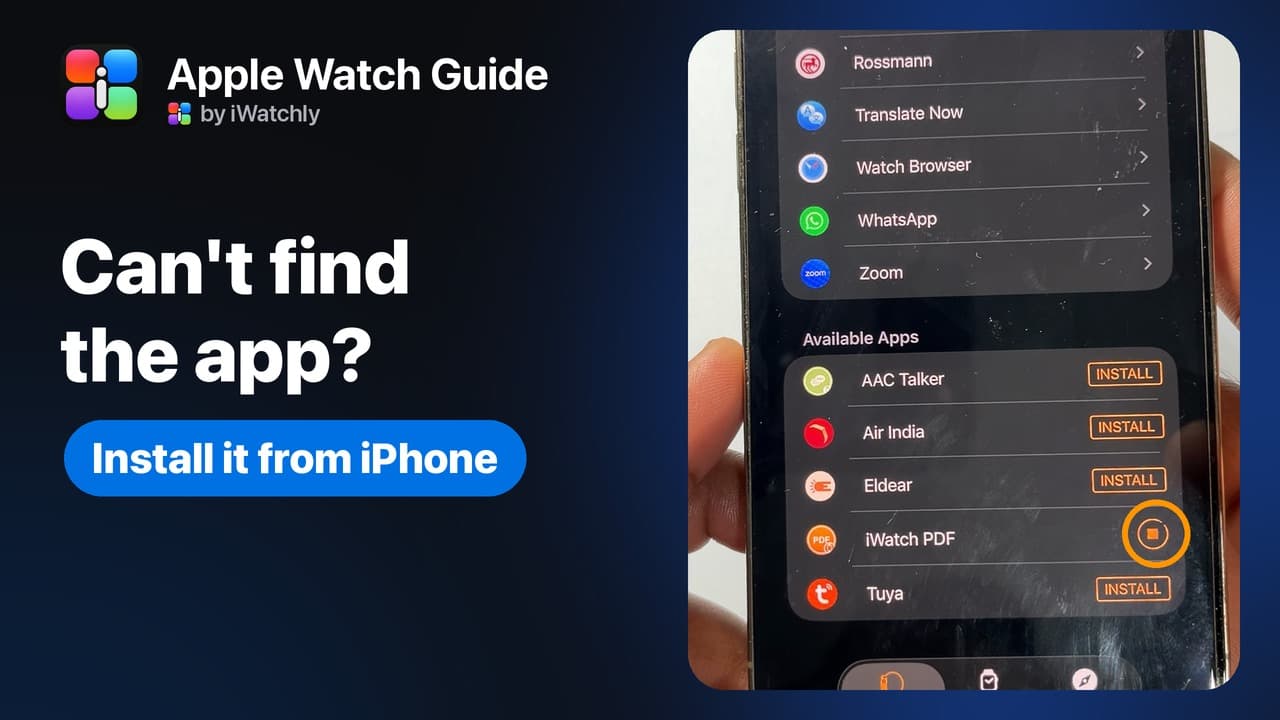
To install an app on Apple Watch, open the Watch app on your iPhone, tap My Watch, scroll to Available Apps and tap Install. You can also get apps from the App Store on the watch itself. If an app is missing, it is usually sitting in Available Apps, not installed yet.
How do I install an app from my iPhone?
- Open the Watch app on your iPhone.
- Tap the My Watch tab. On some versions, tap Apps next.
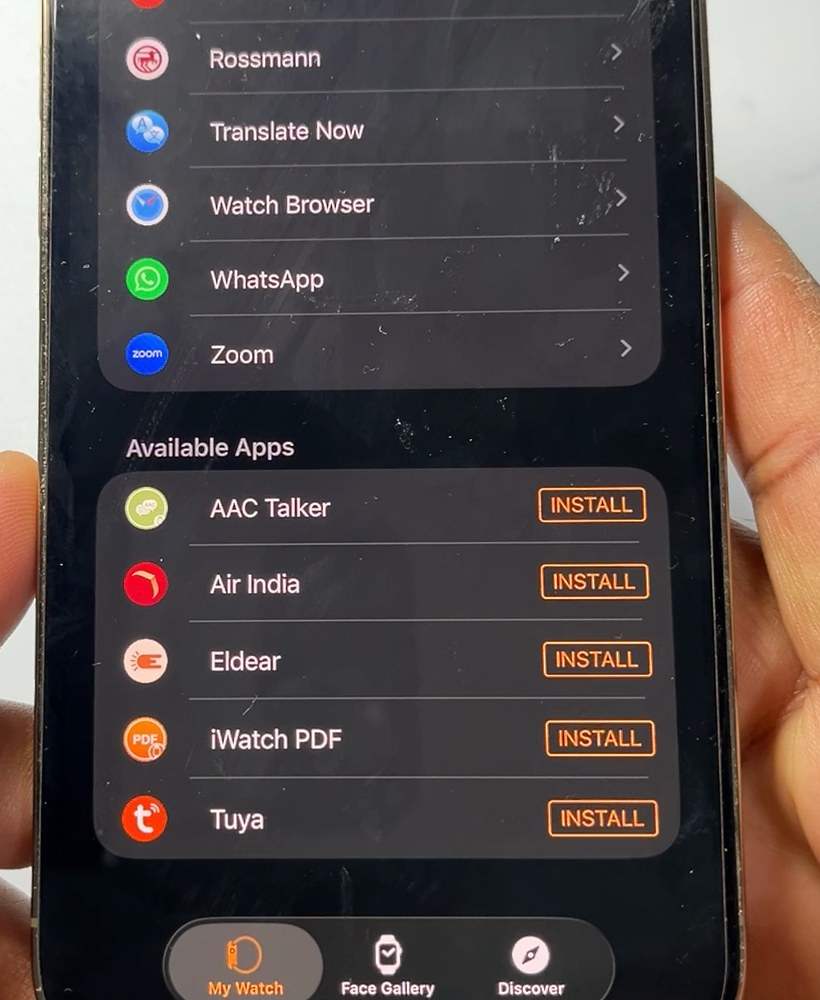
- Scroll to Available Apps.
- Tap Install next to the app.
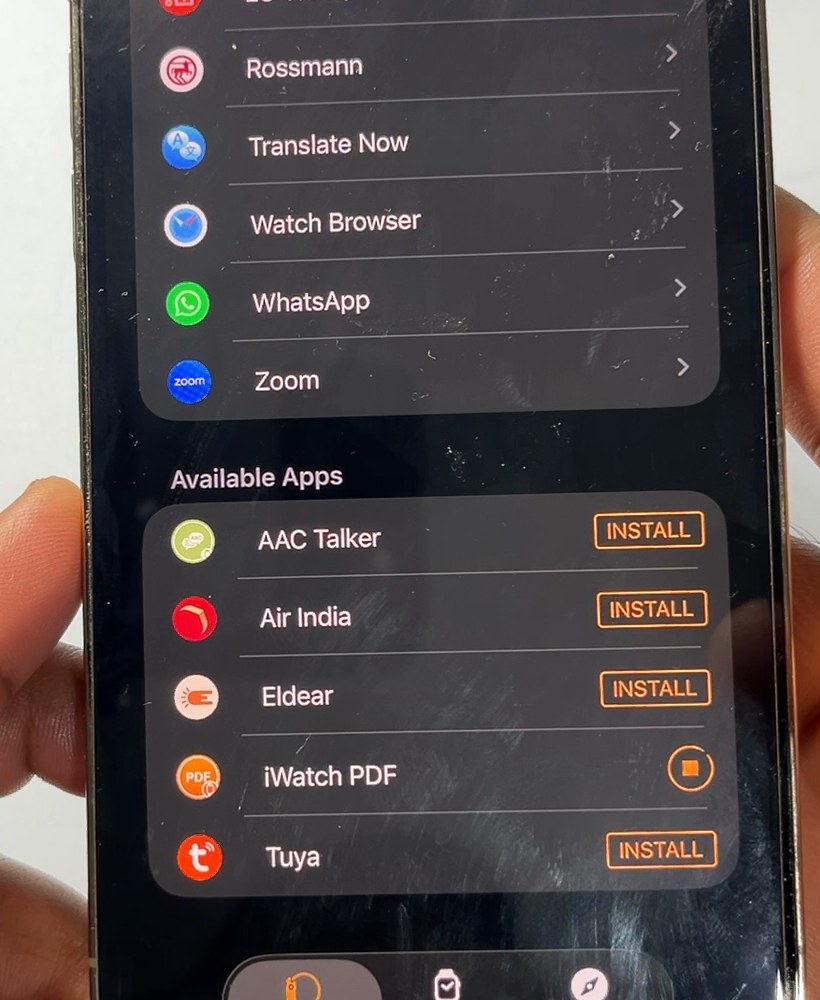
A progress circle replaces the button while the app downloads. When it finishes, the app moves up to Installed on Apple Watch.
Why isn't my iPhone app on the watch?
By default, Apple Watch installs the watch version of your iPhone apps, if the app has one. Three things stop it:
- The app has no watch version. It will not appear in Available Apps at all.
- The app was switched off for the watch. Tap it in the list and turn on Show App on Apple Watch.
- Some watchOS apps are not available in every region or language.
Can I install apps on the watch itself?
Yes. Open the App Store on the watch, find the app, and tap Get or the price. Double-click the side button to confirm. In the watch's Settings > App Store, Automatic Downloads installs apps you bought on other devices.
Apple's steps: Download apps on your Apple Watch and Get apps in the App Store on Apple Watch. If the Watch app cannot reach the watch at all, fix the connection first: Apple Watch disconnected from iPhone.
Frequently asked questions
Q: Do I pay again to reinstall an app? A: No. If the App Store shows Download instead of a price, you already own it.
Q: Where do installed apps appear on the watch? A: Press the Digital Crown, then swipe up to see all your apps.
Q: How do I remove an app from the watch only? A: In the Watch app, tap the app and turn off Show App on Apple Watch. It stays on the iPhone.
Read next
Restart, Force Restart or Unpair: Which Apple Watch Reset to Use
Three resets, three different jobs. Use the gentlest one that fixes your problem and keep your data.
3 min read
Apple Watch Storage: How Much Fits, and How to Check
Every current Apple Watch has 64 GB. Here is how to see what is using it, and what that space holds in music, films, photos and PDFs.
3 min read
Apple Watch Disconnected From iPhone? 5 Fixes, in Order
A red iPhone or a red X means your Apple Watch has lost its iPhone. Five fixes, in the order Apple recommends.
2 min read