- Apple Watch
- Apple Watch notifications
- Do Not Disturb
- Silent Mode
How to Silence Apple Watch: Silent Mode, Cover to Mute and More
By Kalyani Lokireddy
How to silence Apple Watch: press the side button to open Control Center, then tap the Silent Mode button (the bell). The watch stops making sounds, but it still taps your wrist. If you want no taps either, use Do Not Disturb instead. All steps here are from Apple's watchOS 27 user guide.
How do I turn on Silent Mode?
- Press the side button (the flat button below the Digital Crown).
- Scroll if needed and tap Silent Mode, the bell.
- To do it from the iPhone, open the Apple Watch app, tap My Watch > Sounds & Haptics, then turn on Silent Mode.
Which mode should I use?
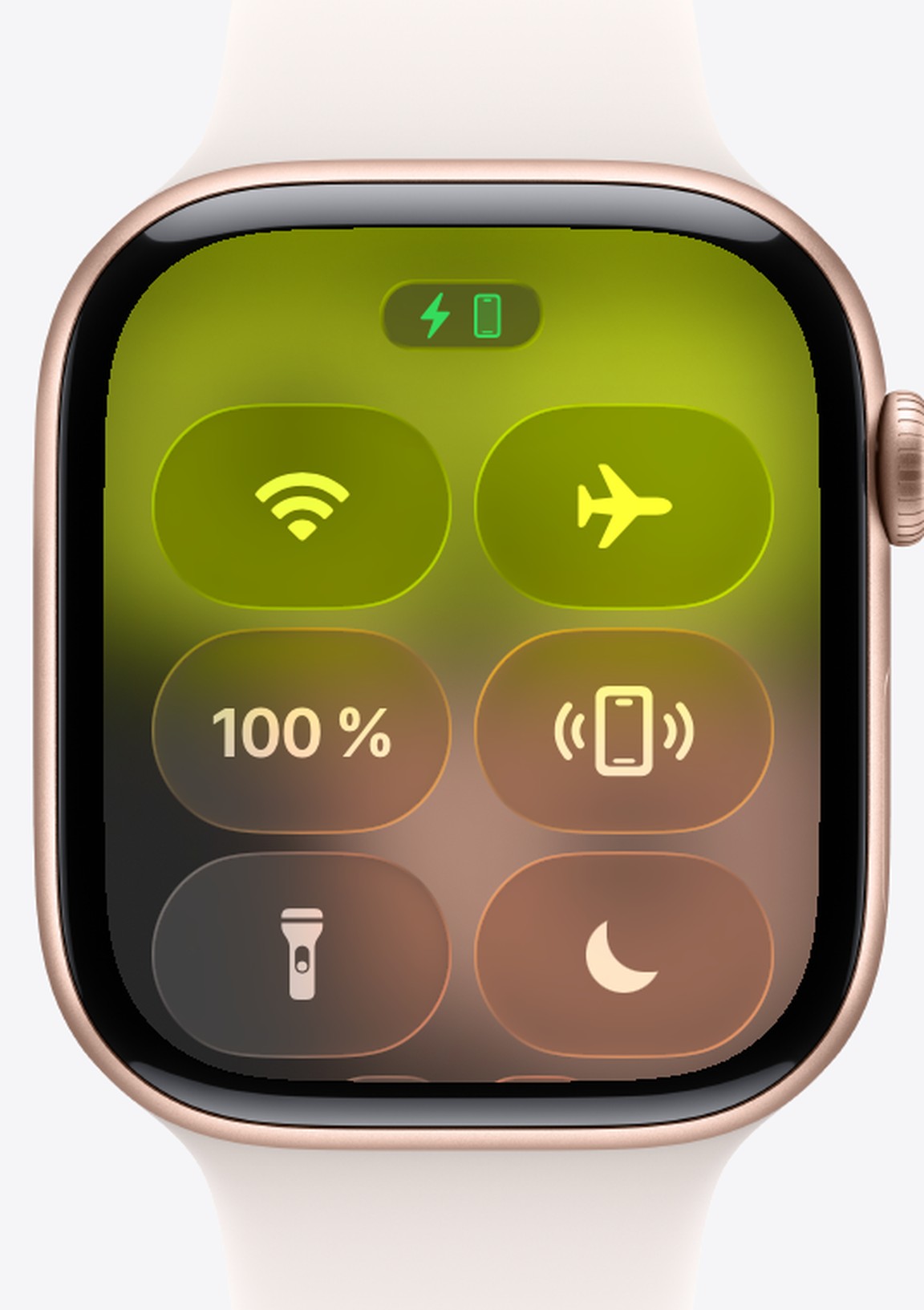
- Silent Mode mutes alerts, notifications and sound effects. You still feel haptic taps.
- Do Not Disturb stops sounds and taps. Tap the moon in Control Center and choose how long, such as "On for 1 hour". Alarms still go off.
- Theater Mode turns on Silent Mode and keeps the screen dark when you raise your wrist. Use it in the cinema or at a concert.
How do I silence one alert as it rings?
Rest your palm on the display for at least three seconds, until you feel a tap. This is Cover to Mute. It is on by default and works for calls and timers (Apple's gestures guide). You can switch it in Settings > Gestures. Apple notes it does not silence wake-up alarms (Apple's sound settings page).
Why did my Apple Watch go quiet on its own?
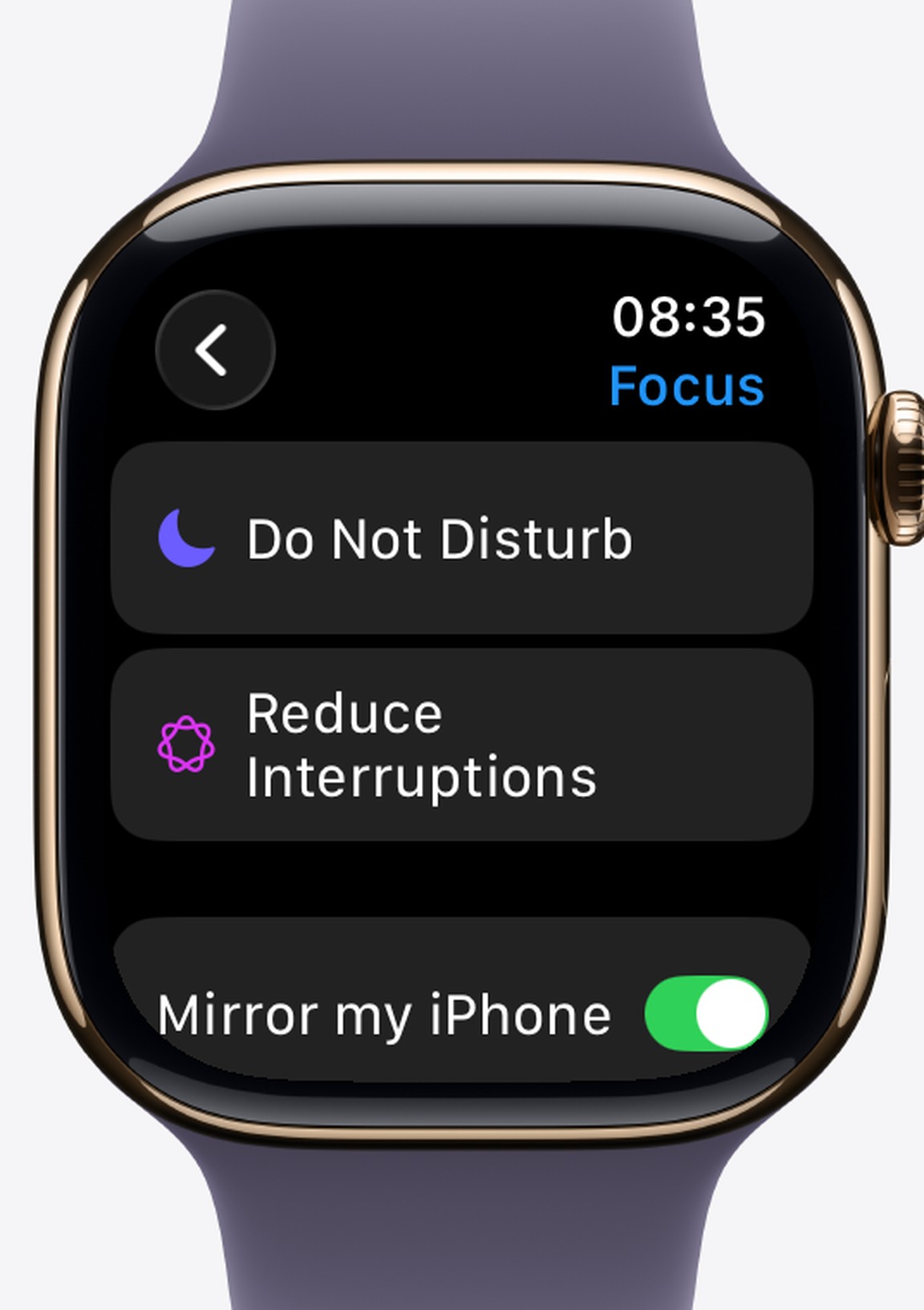
The watch copies Focus from your iPhone by default. A Sleep or Work Focus that starts on the iPhone silences the watch too. Check Settings > Focus > Mirror my iPhone on the watch. If alerts still don't arrive, work through Apple Watch not getting notifications. If the watch shows a red iPhone icon, see Apple Watch disconnected from iPhone.
Frequently asked questions
Q: Will my alarm still ring in Silent Mode? A: Silent Mode mutes sounds, so you feel a tap instead. While the watch is charging, Apple says alarms and timers still sound, even in Silent Mode.
Q: How do I silence my Apple Watch but not my iPhone? A: Turn on Silent Mode on the watch. It only changes the watch. A Focus, by contrast, is shared when Mirror my iPhone is on.
Q: How do I stop the vibrations too? A: Turn on Do Not Disturb, or go to Settings > Sounds & Haptics and set Haptics to Off.
Read next
Apple Watch Not Getting Notifications? Six Things to Check
Notifications go to the iPhone or the Watch, never both. Six checks, in the order that finds the culprit fastest.
3 min read
Unlock Your iPhone With Your Apple Watch: Setup and Limits
It only works when something is covering your face, and the watch must be on your wrist and unlocked. Setup, and what it will not do.
3 min read
How to Clean Your Apple Watch and Its Band Safely
Apple's own method: water and a lint-free cloth for the watch, mild soap on some bands only, and never a soaking for leather or FineWoven.
3 min read