- Translate Now
- travel
- Conversation mode
- iPhone
Talk Face to Face with Conversation Mode
By Kalyani Lokireddy
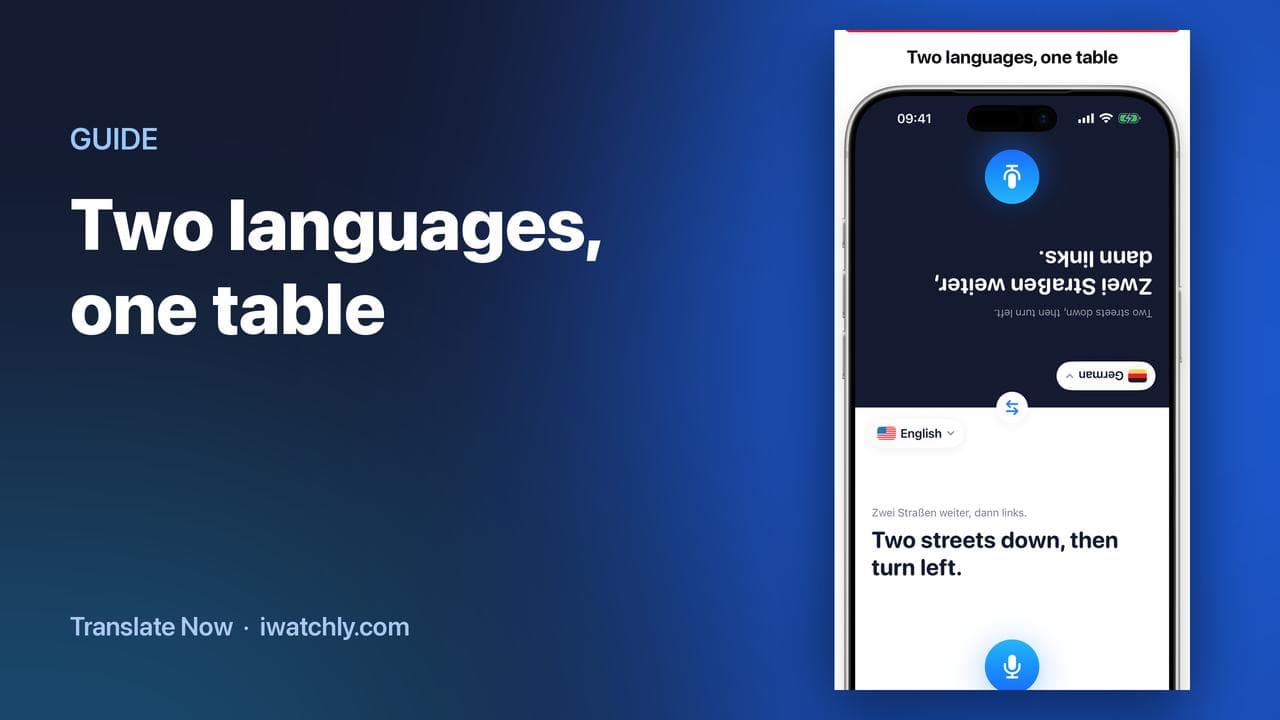
Conversation mode turns one iPhone into a shared table: the screen splits in two, the top half is rotated to face the person opposite, and each half has its own language and its own microphone. Nobody has to pass the phone back and forth or read upside down.
It needs an internet connection, like everything else in the app. Translation happens on our servers; there is no offline mode.
How a conversation runs
- Open the Conversation tab and lay the phone flat between you.
- Check the two languages. Yours is on the bottom half, theirs on the top. The button in the middle swaps them.
- Tap your microphone and speak. Your sentence is transcribed, translated, and appears the right way up on their side.
- They tap theirs and answer. Their reply appears on your half, in your language.
Each side only ever touches its own microphone, which is what keeps the rhythm of a real conversation instead of a queue for a device.
When it beats typing
- A pharmacy counter, where the other person is standing and you are not.
- A taxi, where handing over a phone is awkward and shouting a phrase is worse.
- A landlord, a doctor's receptionist, a market stall — anywhere the exchange is longer than one sentence.
The quieter option
When speaking aloud is not welcome — a library, a late-night reception, a meeting — the Text tab translates what you type or paste, and you can hand the phone over to be read. With Premium you can also translate from the camera or a photo.
Frequently asked questions
Q: Do both people need the app? A: No. One iPhone, one app, two halves of a screen.
Q: Does it read the translations aloud? A: It can, from the result. In a noisy place reading the screen is usually faster, which is why the text is large on both halves.
Q: Does it work offline? A: No. Every translation goes to our service and comes back, so a connection is required.
Q: What does it cost? A: Five translations a day are free, and Premium removes the limit. Premium is bought inside the iPhone app through the App Store.
Read next
Travel Phrase Books You Can Reach in Seconds
Save the sentences you always need, group them per trip, and have them on your wrist — with the translation already done.
2 min read
How to Translate on Apple Watch
Speak into the Watch, read the translation, hear it out loud and let the other person reply — without taking your phone out.
2 min read
How to Play Your Own Videos on Apple Watch Without an iPhone
A video can play on the Watch with the phone switched off — but only if it was saved to the Watch first. What works offline, and what does not.
3 min read