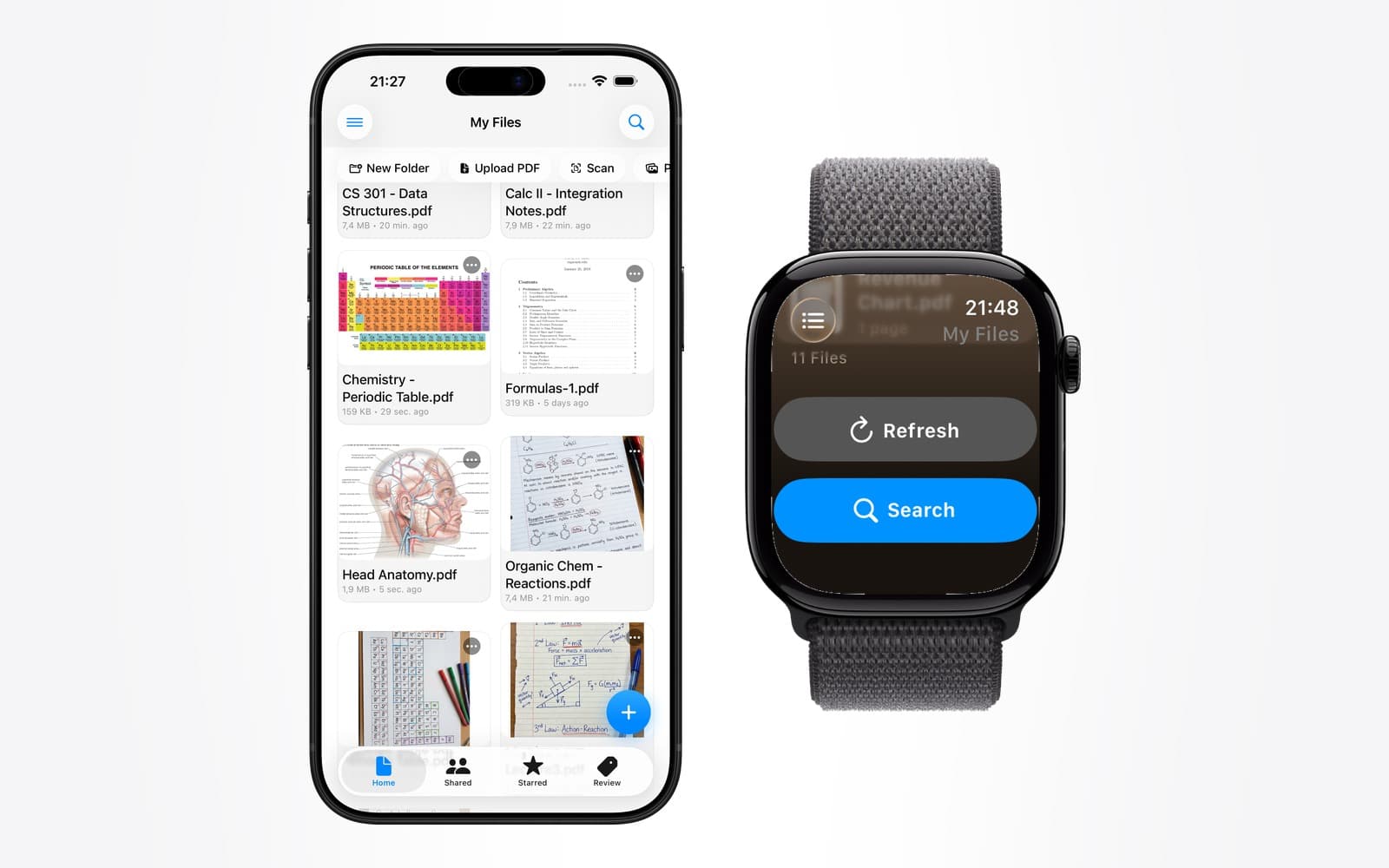
- Apple Watch PDF
- offline reading
- Apple Watch without iPhone
- watchOS
Can You Read a PDF on Apple Watch Without Your iPhone?
By Kalyani Lokireddy
Yes, you can read a PDF on an Apple Watch with no iPhone nearby — provided the document was downloaded to the Watch beforehand. The Watch has its own storage, and a document held there stays readable in Airplane Mode, out of Bluetooth range, and with the phone switched off entirely. What does not work offline is anything that needs to fetch the document at the moment you open it.
That distinction is the whole story, and it is the part most guides skip. Below is what actually happens in each case.
What works when the iPhone is out of range
Once a document's pages are stored on the Watch, reading them is a local operation. Nothing is fetched, so nothing can fail:
- Turning pages with the Digital Crown or by swiping.
- Zooming and panning within a page.
- Any document you explicitly saved to the Watch before leaving.
This is what makes the Watch genuinely useful on a run, in a pool, on a flight, or anywhere a phone is inconvenient or prohibited.
What stops working
Anything that needs the network at the moment you tap it:
- Opening a document you never downloaded. If only a reference to it lives on the Watch, there is nothing to render.
- Adding a new document. Import happens on the phone.
- Text search across a document, where search runs against an index held server-side.
None of this is a watchOS limitation so much as a physics one: a document that is not on the device cannot be read from it.
Why is a PDF converted to images for the Watch?
A PDF is a description of how to draw a page, not a picture of one. Rendering that description requires a font stack, a layout engine, and enough memory to hold the result — which on a watch means a slow first open and a real risk of the app being terminated mid-render.
Converting each page to an image once, on a machine that has room to do it, moves that cost off the wrist. The Watch then does the one thing it is good at: showing a picture quickly. It is why a well-built Watch reader opens instantly and a naive one appears to hang.
The trade-off is honest and worth stating: an image of a page cannot reflow. Which leads to the question everyone asks second.
Is the screen actually big enough to read on?
For some documents, comfortably. For others, not at all.
What reads well on a wrist is anything written to be glanced at: a checklist, a recipe, a packing list, a set of lecture notes in large type, a boarding pass, a one-page summary. What reads badly is a dense two-column academic paper or a scanned book page — the text is simply too small at full-page zoom, and panning around a page you cannot see the whole of gets tiring quickly.
A useful rule: if the page is readable as a thumbnail on your phone, it will be readable on your Watch. If you have to pinch to read it on the phone, the Watch will not rescue it.
How much storage does this use?
Page images are small — a text page typically lands in the low hundreds of kilobytes. A 20-page document is a few megabytes, which is unremarkable next to the music and podcasts most people already sync.
The practical constraint is not total space but attention: syncing a 400-page manual you will never read on a wrist wastes transfer time. Save the documents you will actually glance at.
Does this drain the battery?
Reading a stored document is a light activity — it is displaying an image and responding to the Crown. The expensive part is the transfer, which happens once, ideally while the Watch is on its charger.
Downloading a large document over a poor Bluetooth link while away from power is the case that costs battery. Sync before you leave, not as you leave.
Frequently asked questions
Q: Do I need a cellular Apple Watch to read documents offline?
A: No. Offline reading uses documents already stored on the Watch, so a GPS-only model works exactly the same. Cellular only matters if you want to download something new while away from your phone.
Q: Can I read a PDF on Apple Watch in Airplane Mode?
A: Yes, as long as it was saved to the Watch first. Airplane Mode disables the radios, not local storage, so a downloaded document opens normally.
Q: Will the document still be there after I restart my Watch?
A: Yes. Saved documents persist across restarts. watchOS may reclaim space from apps under heavy storage pressure, so if you are running very low on free space, expect the system to be less forgiving.
Q: Can I open a PDF straight from an email on my Apple Watch?
A: Not directly as a stored document. Mail on the Watch can preview some attachments, but that preview is fetched at the moment you open it and is not kept for offline reading. To have it available later, import it on the phone and save it to the Watch.
Q: Is there a page limit?
A: Not a fixed one, but long documents take proportionally longer to prepare and transfer. Documents in the tens of pages are comfortable; several hundred pages is possible but rarely worth the wait for wrist reading.
The short version
Offline reading on Apple Watch is a solved problem, with one condition attached: download first. Everything that fails offline fails for the same reason — it needed the network at the moment you asked. Sync the handful of documents you actually want at a glance, and the Watch becomes a genuinely independent reader.
iWatch PDF is available on the App Store.
Read next
Does Apple Watch Work Without an iPhone? What Actually Runs on the Wrist
What keeps working when the phone is off, what needs Wi-Fi, and what quietly stops — a plain list, without the marketing.
2 min read
Add Your Own Music to Apple Watch and Play It Phone-Free
Your own audio files — not a streaming subscription — stored on the Watch and played through AirPods with the iPhone left at home.
2 min read
How to Play Your Own Videos on Apple Watch Without an iPhone
A video can play on the Watch with the phone switched off — but only if it was saved to the Watch first. What works offline, and what does not.
3 min read