- Apple Watch
- Translate Now
- travel
- phrase book
Travel Phrase Books You Can Reach in Seconds
By Kalyani Lokireddy
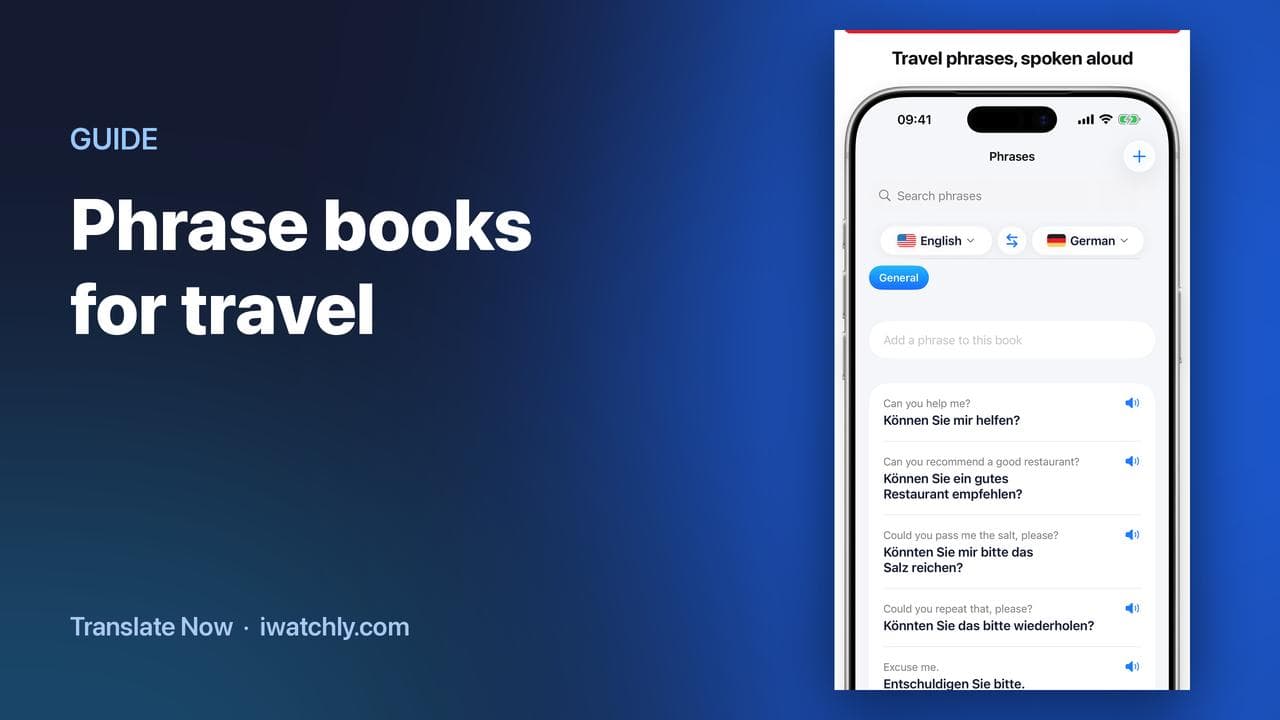
A phrase book in Translate Now is a list of sentences you have already translated, kept on your phone and mirrored to your Apple Watch. The translation was done when you saved it, so reaching for one later is instant — no speaking, no typing, no waiting.
One honest limit first: saving a phrase requires a connection, because translating it does. There is no offline translation. What a phrase book gives you is the work done in advance, at the hotel with Wi-Fi rather than at the counter without it.
Building one before you go
- Open Phrases and create a book — one per trip or per situation works better than one long list. "Lisbon", "Pharmacy", "Taxi".
- Add the sentences you know you will need. Type the phrase, and it is stored with its translation.
- Tap the speaker on any saved phrase to hear it, or copy it to paste into a message.
What to put in it
- The three sentences that start any exchange: a greeting, "do you speak English?", and "I would like…".
- Anything with a number in it: a room number, a platform, a dose, an address.
- The sentence you cannot afford to get wrong — an allergy, a medication, a disability.
- Whatever you had to ask twice yesterday. That is the phrase you will need again tomorrow.
On the Watch
Phrase books appear in the Watch app under Phrases, carried over from the iPhone. A saved phrase is one tap away on your wrist, which is the difference between using it and not bothering.
Frequently asked questions
Q: Can I use my phrase books offline? A: Saved phrases live on the device, so they are there when you open the app. Creating a new one needs a connection, because the translation itself does.
Q: Do phrase books sync to the Apple Watch? A: Yes, from the paired iPhone.
Q: How many books can I keep? A: As many as you like; group them per trip or per situation.
Q: Does it speak the phrase for me? A: Yes, each saved phrase can be played aloud in either language.
Read next
Talk Face to Face with Conversation Mode
One iPhone between two people: the screen splits, the top half faces them, and each side has its own language and microphone.
2 min read
How to Translate on Apple Watch
Speak into the Watch, read the translation, hear it out loud and let the other person reply — without taking your phone out.
2 min read
watchOS 27: What Changed on Your Apple Watch, and What to Try First
Siri that holds a conversation, a one-finger gesture for the Smart Stack, a new app grid and quieter health alerts. What is worth your time on day one.
4 min read